Travel, share, discover together
An app for those who love to travel. Create routes, join groups, leave photos, videos and voice messages at locations — for those who come after you.
About I'M IN
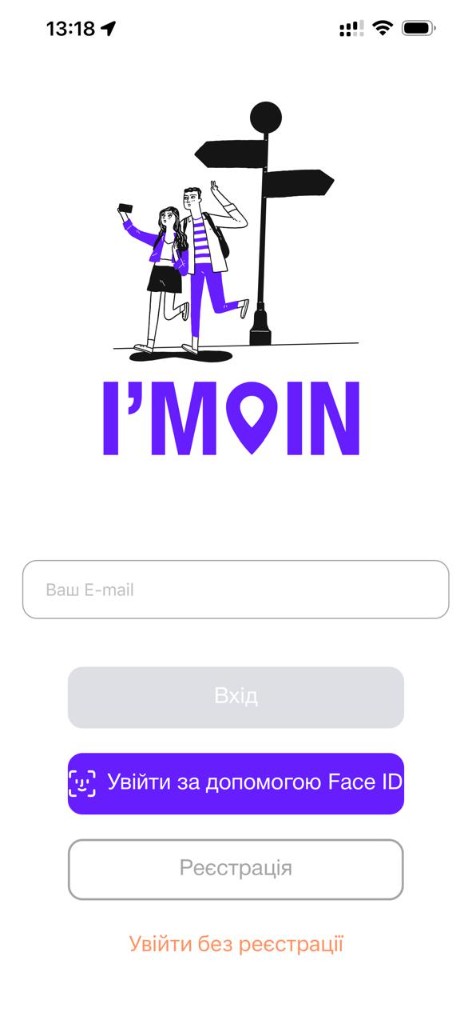
I'M IN is an app for people who love to travel and discover new places. Join groups of travelers, plan trips together, arrange meetups and gather a crew for outdoor adventures.
Leave photos, videos and voice messages at locations for those who come after you. Create group albums and memories, find friends who've been to interesting places and share your impressions with the world.
The app is on the App Store and Google Play. Stats will appear as the community grows.
App Features
Everything a traveler needs — in one app
AI Route Wizard
Describe your trip in words — AI suggests an optimal route with stops. Convenient builder with adaptive UI and improved starting points.
Interactive Map
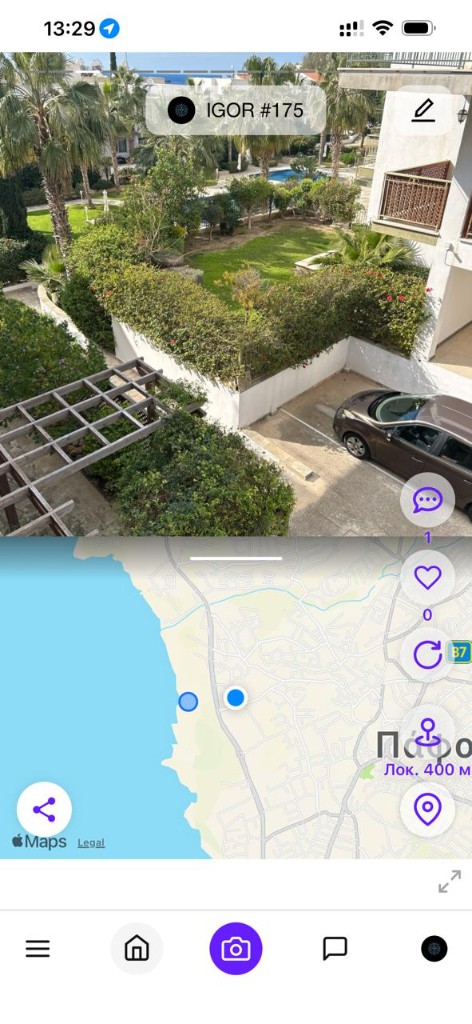
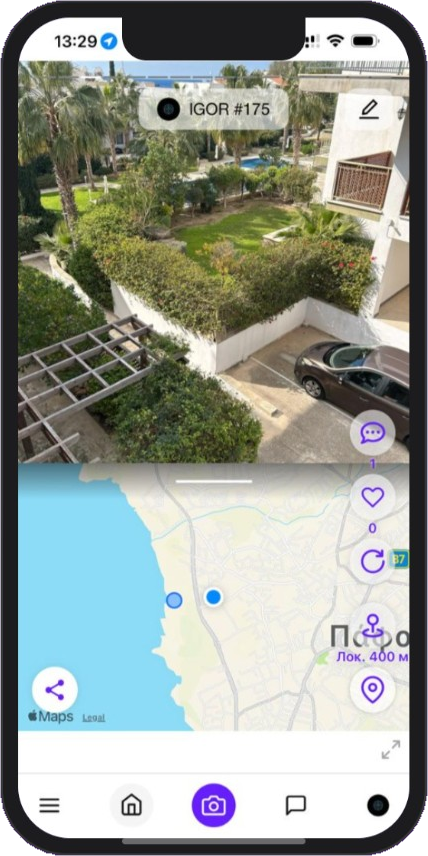
Apple Maps or Mapbox your choice, 2D/3D modes, satellite, 3D buildings with name and address. Events with photos and videos right on the map — in your location or globally.
Chat & voice calls
Chat and voice calls in one communication hub. Private messages over WebSocket: reactions, replies, editing, pinning. Auto-translator between languages.
Location Messages
Leave photos, videos (up to 10 sec) and voice recordings right at locations — coordinates are set automatically. Find out what those who've already been here have to say.
Camera & dual-cam
Built-in camera with real-time filters: B&W, sepia, vintage, cinema, Noir. Dual camera — front and rear at once. Zoom, HDR, lens selection, stabilization.
Places Explorer
Enriched POI cards with weather and opening hours. Country Explorer: timezone, emergency numbers, plug type, driving side. Clusters, heatmap, offline.
Dating
Find people nearby by interests, age and travel style. Mutual matches. Travel sponsorship — find a travel companion or offer sponsorship.
Offline Maps + GPS
Download maps by country and continent (6 world regions). GPS via satellites works without internet. Heading shows direction of movement like a navigator.
Voice Recordings
Record voice messages and audio guides right at locations. Every event can have its own audio — tell stories and share impressions with one tap.
Event Stories
Combine your events into a sequential narrative — like a photo story of a trip. Drag-to-reorder, titles and descriptions for each frame. Morning coffee → park → concert.
Walks Tracking
Record a walking route via GPS in background: distance, time, average speed, track on map. Convert to a full Route for sharing.
Friends on Map Live
See friends in real time — colored markers with avatars, heading direction of movement, auto-follow. Works in background via iOS geofencing and Android foreground.
What's New
Latest app updates — v1.0.6, summer 2026
App Store & Google Play
I'M IN is on the Apple App Store and has a Google Play listing. The newest Android build is also the APK from this site until the current version is promoted to Play production.
Voice calls
Communication hub: Chats and Calls tabs. Voice calls via LiveKit — from chat, contacts or history. Incoming call, participant grid, minimise without hanging up.
Dual camera
Front and rear cameras at once — for travel video of “me and what I see”. Works on iOS and Android, with preview and audio.
Meetings & host
Cabinets, slot booking, host profile, reviews and meeting files. Arrange a meetup like booking a guide or organiser.
Dating
Separate mode for finding people nearby by interests, age and travel style. Mutual matches. Travel sponsorship — find a travel companion.
Walks Tracking
Record a walking route via GPS in background. Distance, time, average speed, track on map. Convert to a Route for sharing.
AI Route Wizard
Describe your trip in words — AI suggests an optimal route with stops. Improved starting points, adaptive UI, convenient route builder.
Google Sign-In
Sign in and register with Google — on iOS, Android and the web. Native SDK on the phone, OAuth in the browser. No password to share.
Web Version (in development)
app.im-in.net — desktop-first with Mapbox, events panel, Ctrl+K search. Explorer, Event View, auth. New features land gradually.
Real-Time Chat
Private messages via WebSocket: emoji reactions, replies, editing, pinning, event sharing. Auto-translator between languages.
Offline Maps & GPS
Download maps by country and continent (6 regions). GPS works without internet. Geo research — clusters, heatmap, available offline.
Friends on Map Live
See friends in real time — colored markers with avatars, heading direction. Background mode via iOS geofencing and Android foreground.
Adventure Map
The interactive map is the heart of the app. See all traveler marks, routes, photos and messages on one map.
- View places and photos on the map in real time
- Filter by categories: food, nature, architecture
- Build a route with one tap
Better Together
Don't travel alone — find people with shared interests, create groups and plan adventures together.
- Group chats and trip planning
- Shared photo albums and memories
- Traveler ratings and achievements
Leave Your Mark
Photos, videos, voice recordings, stories — everyone can leave something useful and interesting for the next travelers.
- Multimedia messages tied to locations
- Audio guides and voice notes at places
- Stories, ratings and recommendations from real people
How It Works
Start your adventure in 6 simple steps
Download the app
Download I'M IN free from the App Store
Sign up
Create an account in seconds
Follow events
Browse events in your location or choose another on the map
Add an event
Photo, video, description & voice message — coordinates set automatically
Add friends
Find travelers and build your community
Have fun!
Browse, chat, travel, choose and discover something new

Now on your smartphone!
I'M IN is on the App Store and Google Play. The newest Android build is also the APK from this site. The web version is in the browser. It's free.
FAQ
Answers to the most popular questions
General
I'M IN is a free mobile app for creating and viewing geo-based events. Post photos and videos tied to locations on the map, see what's happening around you in real time, connect with other travelers and follow interesting authors. Slogan: 'Travel, share, discover together'.
I'M IN is completely free. No subscriptions, hidden fees or ads. Download, sign up and use all features at no charge.
Three platforms: iOS (iPhone and iPad) on the App Store; Android — listing on Google Play, newest build also as an APK from this site (until the current version is promoted to Play production); Web in active development at app.im-in.net.
The web version app.im-in.net — desktop-first interface with interactive Mapbox map, side navigation panel (collapses to icons), top bar with search (Ctrl+K) and events panel on the right. Supports keyboard shortcuts. Version 1.0.3 adds Explorer, Event View and auth screens. Web version is in active development — features are being added gradually. For the full experience, we recommend the iOS app.
The interface supports 8 languages: Ukrainian, English, French, Spanish, German, Italian, Greek and Russian. Language is detected automatically on first launch but can be changed in settings.
Partially yes. Offline capabilities: 1) Offline maps — download maps by country and continent (Europe, North/South America, Asia, Africa, Oceania) in Settings → Offline Maps. 2) GPS via satellites works without internet — your position on the map is always visible. 3) Geo research (clusters, heatmap, summaries) available offline. 4) Events without internet go into the upload queue and are sent when connection is restored. Internet is required for: event feed, chat, other user profiles.
Yes! Guest mode lets you browse the map and events, search for addresses, open deep links and contact support. Creating events, comments, likes, friends and messages requires registration.
Registration & Login
Two ways: 1) Google Sign-In (iOS, Android and web) — tap Continue with Google, pick an account, sign in or auto-create a profile via OAuth. 2) Email + password: confirm email with a code (check Spam), add a profile photo (optional), name and phone. Then create a password and accept the terms. After registration you can enable biometric login — Face ID, fingerprint or iris.
On the login/sign-up screen tap Continue with Google → pick a Google account → if the email is already registered you sign in; otherwise a new account is created. Works on iOS, Android and in the browser. No password to type — Google OAuth handles it.
On the login screen tap 'Forgot password' → enter your email → get a code (check Spam) → enter the code → set a new password. The code has an expiration time.
1) Check your Spam or Junk folder. 2) Wait 1-2 minutes. 3) Make sure the email is entered correctly. 4) Try requesting the code again.
Map & Location
The map shows event markers and your location. Tap a marker to scroll the feed to that event. Long-press a marker for address and coordinates. Long-press the map to move to a new point. Available: 2D/3D modes, standard/satellite map, address search.
In local mode there may be no events nearby — try increasing the event horizon (200-600 m) in settings or switch to global mode (globe button) to see events from around the world.
Tap the search button (magnifying glass), type a city name or address — the map will move there and load nearby events. Or long-press any point on the map.
Auto-mode automatically refreshes the event feed as you move — every 25, 50, 100 or 200 meters. The screen stays on. Perfect for walks or trips — you see new events around without manual refresh.
Creating Events
Tap the camera button → take a photo, video (up to 10 sec) or choose from gallery → add a filter, voice message, title and description → location is detected automatically or picked on the map → Save. With unstable internet, the event is saved to the upload queue.
Events first enter the upload queue (max 10, up to 3 automatic retries). Check Profile → Upload queue. With weak internet, upload waits for connection.
On the 'New event' screen → 'Add media' → 'Gallery (photos)' → select up to 10 photos. If photos have GPS tags, each event gets its own coordinates. A shared title and description apply to all.
Social Features
Friends are mutual: open a profile → 'Add friend' → they accept or decline. Friends see content even with a private account. Subscription is one-way: you follow without approval, and can filter the feed by author.
Both must enable 'Location sharing' in settings. Then colored markers with friends' avatars appear on the map in real time with heading (direction of movement). Update interval: 5 to 60 seconds. Background mode via iOS geofencing (Significant-Change Location) and Android foreground service.
Communication hub: Chats and Calls tabs. Private messenger over WebSocket: emoji reactions, replies, editing, pinning. Share an event as a card. Auto-translator — you write in your language, your friend reads in theirs. Voice call from the chat header, contacts or history.
New features (v1.0.6)
The communication hub has Chats and Calls tabs. Start a call from the chat header, a conversation row or contacts. Incoming calls show a modal; during a call you get a participant grid, mic, speaker and invite. You can minimise the call — it keeps running; return via the banner.
Record front and rear cameras at the same time — handy for “me and the place” travel videos. Works on iOS and Android. The regular Skia-filter camera remains: B&W, sepia, vintage, HDR, zoom, lens selection.
Cabinets are private rooms for arranging meetups. A host opens a calendar and slots; a guest books a meeting. Statuses (confirmed, cancelled), location, reviews and meeting files. Useful for guides, organisers and friends planning a trip.
A separate mode in the app: find people nearby by interests, age, gender and travel style. Mutual matches between users. Travel sponsorship — you can find a travel companion or offer sponsorship. Advanced filters, separate dating profile. Uses the device's real GPS.
Record a walking route via GPS in background. During recording you see distance covered, time, average speed and track on map. After completion you can save the walk, view details, convert to a full Route (a shared route) or delete it. Separate Walks tab in My Routes.
AI-powered route builder. Describe what you want (for example, 'three-day trip through northern Italy focused on mountain lakes') — AI suggests an optimal route with stops. Available in the routes section. Improved starting points, adaptive UI.
A feature for combining 2+ of your events into a sequential narrative — like a photo story of a trip. For example: morning coffee in Lviv → walk through Rynok Square → evening concert. On 'My Event Stories' screen tap 'Create' → choose events → drag to reorder → add title and descriptions for frames.
Settings → Offline Maps. Choose a continent (Europe, North/South America, Asia, Africa, Oceania), then a country → tap 'Download'. The map is saved to the device and available without internet. GPS via satellites always works, so with offline maps you see your position even without a network.
Privacy & Account
Three privacy levels: public (everyone sees), friends-only (only friends), private (only you). Also: biometric login (Face ID / fingerprint), password and email change via code, blocking unwanted users, max 10 active sessions.
1) Check Menu → Settings → Notifications (enabled?). 2) Device system settings (notifications allowed for I'M IN?). 3) 'Do Not Disturb' mode is not on. Types: friend requests, friend events, nearby events, watched places.
Profile → Delete account → password → email code → confirm. Warning: deletion is permanent — all data, events, friends and messages are removed forever.
In the app: Settings → Support (up to 500 characters). Without login: login screen → Support (enter name, email, phone). On the website: chatbot at www.im-in.net or email [email protected].
Contact Us
Have a question? Write to us — we'll respond as soon as possible
Thank you!
Your message has been sent. We'll reply to your email as soon as possible.
Our official channels
News, curated places and a look behind the app — follow us wherever you prefer